RSS Feeds
Add blog and website feeds directly to your digests
What are RSS feeds?
RSS feeds are like automatic subscriptions to websites. Instead of visiting a blog every day to check for new posts, an RSS feed delivers new content to you automatically — no email required.
Many blogs, news sites, and podcasts offer RSS so you can follow updates without relying on email newsletters. Readless treats RSS items the same way it treats newsletter emails — they're summarized by the same digest, so you get one tidy message either way.
How to add an RSS feed
Feeds are managed from the Sources page, right alongside your newsletter senders.
- Open the Sources tab in your dashboard.
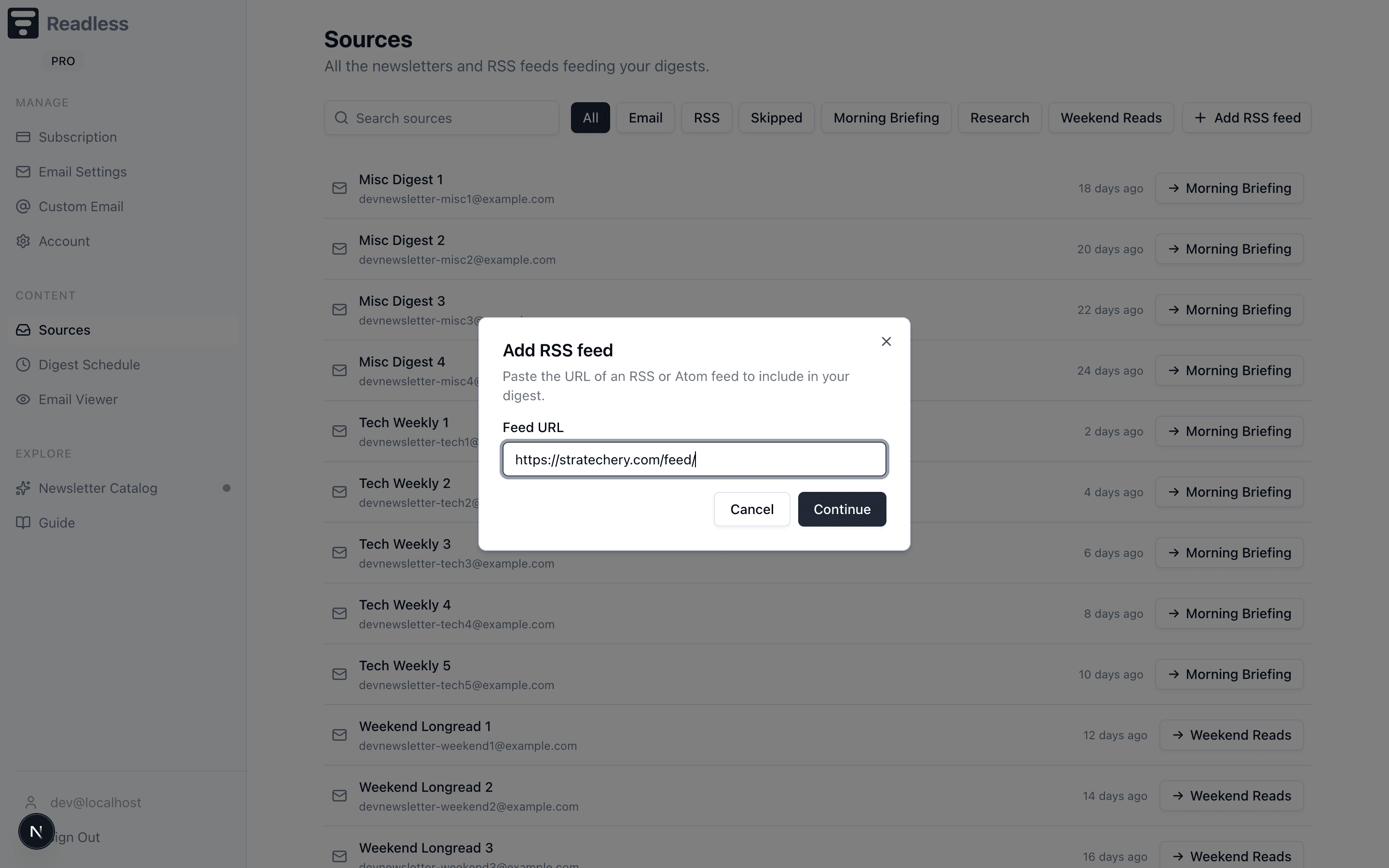
- Open + Add source in the top-right and choose Add RSS feed.
- Paste the feed URL — Readless validates it for you.
- Pick which digest schedule the feed should route to.
- The new feed appears in the Sources list with its routing pill, and new items start showing up in your next digest.
Subscribing to a Substack?
Use Connect Substack instead — it accepts handles, profile URLs, and custom domains, and covers writers who run multiple publications under one handle.
How to find a feed URL
Finding RSS feed URLs
- Look for an RSS icon on the website
- Try adding
/feedor/rssto the site URL - Search for "[site name] RSS feed"
- Most WordPress sites have feeds at
/feed
Changing where a feed goes
On the Sources page, click the routing pill next to a feed to send it to a different schedule at any time. If you haven't picked one, the feed rides along on your default schedule.
Removing a feed
Done with a feed for good? Open the routing popover on its Sources row and choose Remove feed. That actually deletes the subscription — Readless stops polling the URL entirely. If you only want a break, route the feed to a paused schedule instead.
How it connects
- Sources — Where feeds and newsletter senders live together
- Digest Schedules — Each feed routes to one of your schedules
- Getting Started — Back to setup overview