Digest Schedules
Choose when and how you receive your summarized newsletters
What is a digest schedule?
A digest schedule is like setting a delivery time for your morning newspaper. Instead of newsletters arriving whenever they're sent — interrupting your focus throughout the day — Readless collects them and sends you a clean summary at exactly the time you choose.
Schedules answer the when; your Sources page answers the what. A schedule holds the cadence and format; Sources decide which newsletters and feeds land in it. Pro lets you run up to 3 schedules at once; the Max plan raises that to 8.
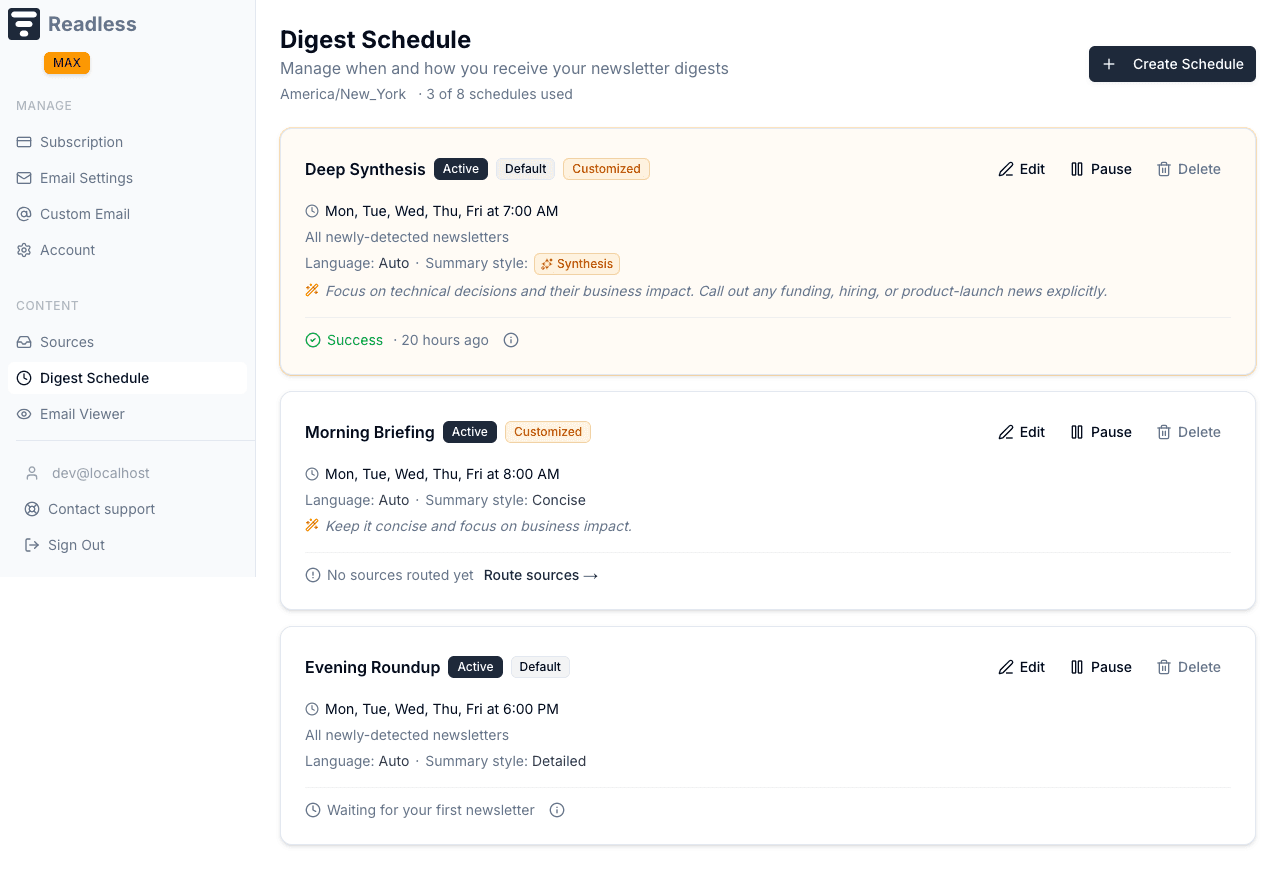
The setup wizard
Creating your first set of schedules? The dashboard opens a short wizard that walks you through cadence, summary style, source routing, and a final confirmation — so you can go from nothing to a working digest in under a minute.
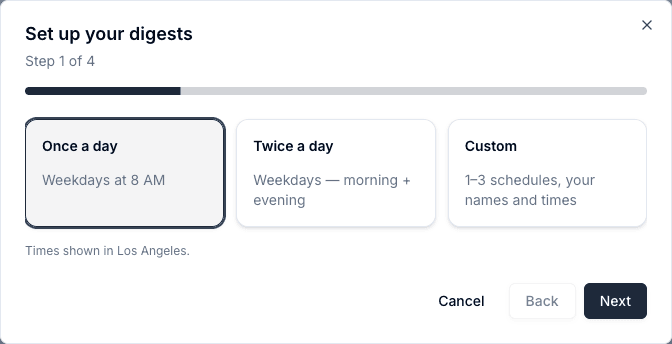
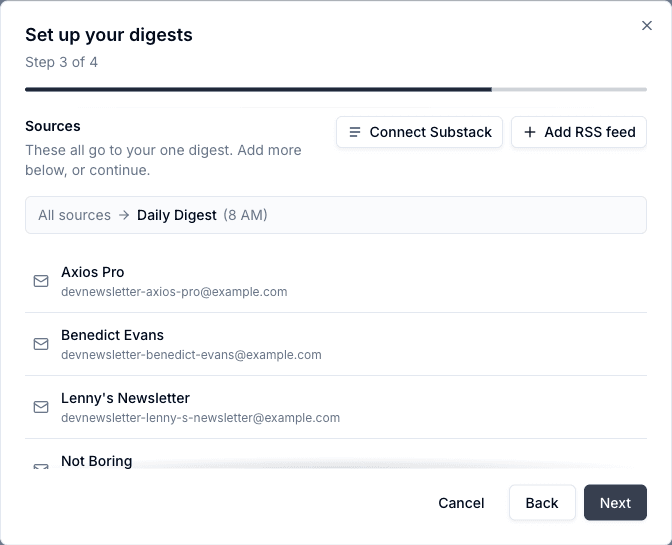
You can always add, edit, or pause schedules afterwards on the Digest Schedule page below.
Choosing your days and time
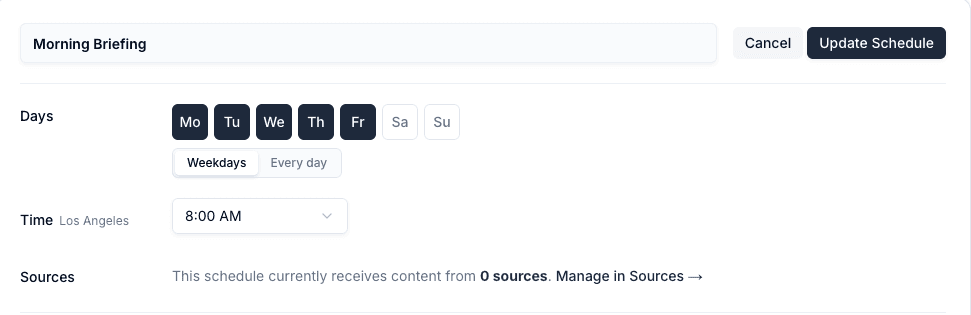
The weekday picker is built for speed: use presets like Weekdays (Monday through Friday) or Every day when you want a daily rhythm, or tap individual days if your week is uneven.
The time you pick is saved using the timezone on your account when you create or update the schedule. Readless handles daylight saving changes automatically for that saved timezone, but if you later travel or move to a different timezone, edit the schedule to save the new one.
Choose your digest language
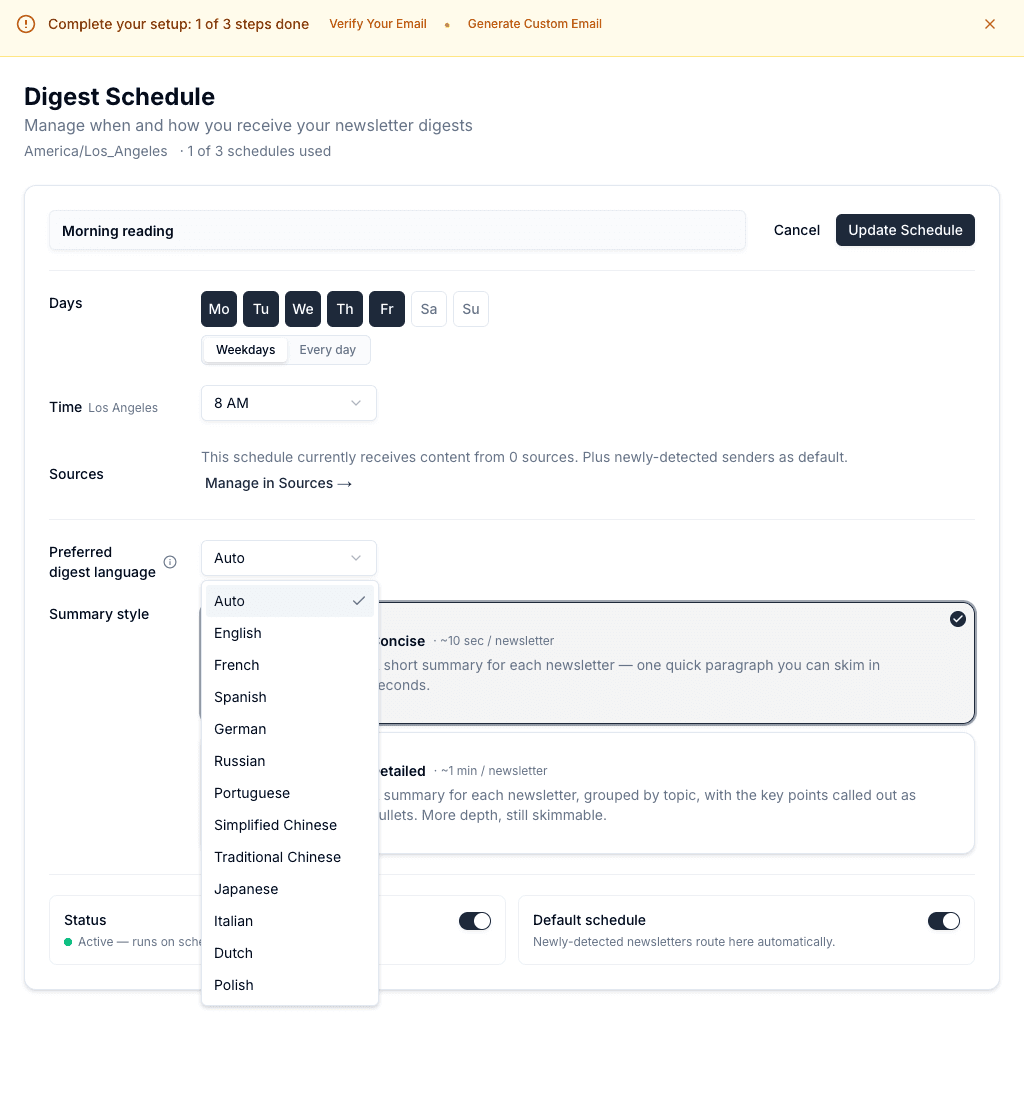
On Pro and Max, each schedule can use its own preferred language. Readless generates summaries of your newsletters, Substack posts, and RSS articles in that language, even when the originals use another. Original articles stay in their original language.
- Open Digest Schedule in your dashboard.
- Edit a schedule, or create a new one.
- Under Preferred digest language, select the language you want.
- Save the schedule. The choice applies to future digests on that schedule.
Supported output options
- English
- French
- Spanish
- German
- Russian
- Portuguese
- Simplified Chinese
- Traditional Chinese
- Japanese
- Italian
- Dutch
- Polish
Auto and display language
Read the guide to newsletters across languages for examples of following sources in different languages.
Summary styles
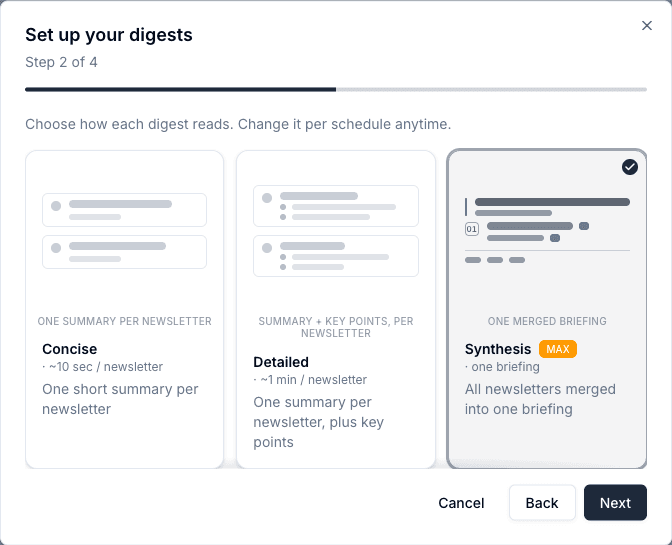
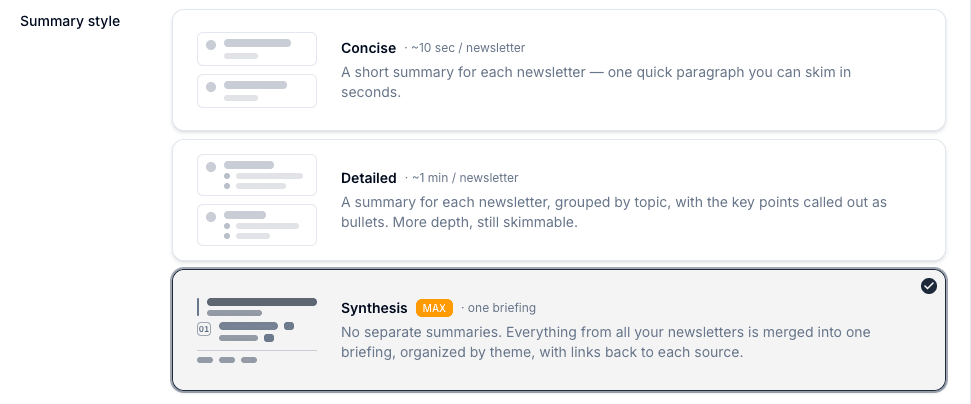
Every schedule has a summary style that controls how the digest reads. Pro includes two; the Max plan adds a third.
Concise — A short summary for each newsletter, one quick paragraph you can skim in seconds.
Detailed — A summary for each newsletter, grouped by topic, with the key points called out as bullets. More depth, still skimmable.
Synthesis — Instead of a summary per newsletter, everything is merged into one briefing, organized by theme, with links back to each source. Synthesis is a Max feature.
Customize tone & focus
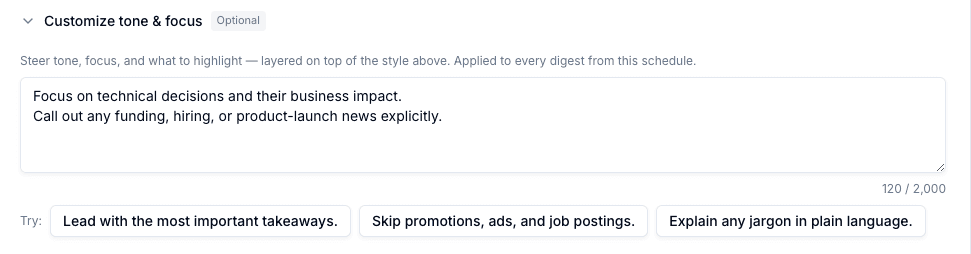
On the Max plan, each schedule also has a Customize tone & focus field. Write plain-language instructions — like “lead with the biggest takeaways” or “skip promotions and job postings” — and Readless applies them to every digest on that schedule, on top of the style you picked.
Synthesis and custom tone & focus
Both are part of the Max plan. On Pro they appear on the form but stay locked, with a prompt to upgrade.
The Default schedule toggle
Exactly one of your schedules is marked as the Default schedule. Any newsletter or RSS feed you haven't explicitly routed — and any newly-detected sender that starts arriving tomorrow — automatically rides along on the default. It's the catch-all so nothing slips through the cracks.
Turning on Default schedule on a different schedule swaps the flag over atomically — the previous default stops being the catch-all the moment the new one takes over.
Managing which sources land in a schedule
You won't find a sender checklist or an RSS manager on the schedule form — those live on the Sources page, where every newsletter and feed is listed together. Use the routing pill on each source row to send it to this schedule, another schedule, or skip it entirely.
Pausing a schedule
Each schedule has an active/paused toggle. Pausing stops digests from running on that schedule until you turn it back on — nothing is deleted, and it's handy for vacations or when you want a break without rebuilding your settings later.
How it connects
- Sources — Route newsletters and RSS feeds to specific schedules
- RSS Feeds — Add website feeds so they appear in a schedule's digest
- Substack — Connect a Substack publication into a schedule
- Getting Started — Back to setup overview