Max Plan
Everything in Pro, plus the Synthesis briefing, custom tone & focus, and up to 8 schedules
What Max adds
Max is Pro with three extra controls over how your digests read. You keep everything Pro already does — the same sources, the same nine languages, your own Readless email — and unlock three things on top:
- The Synthesis briefing — one merged brief instead of a summary per newsletter.
- Custom tone & focus — plain-language instructions that steer every digest on a schedule.
- Up to 8 digest schedules — instead of the 3 you get on Pro.
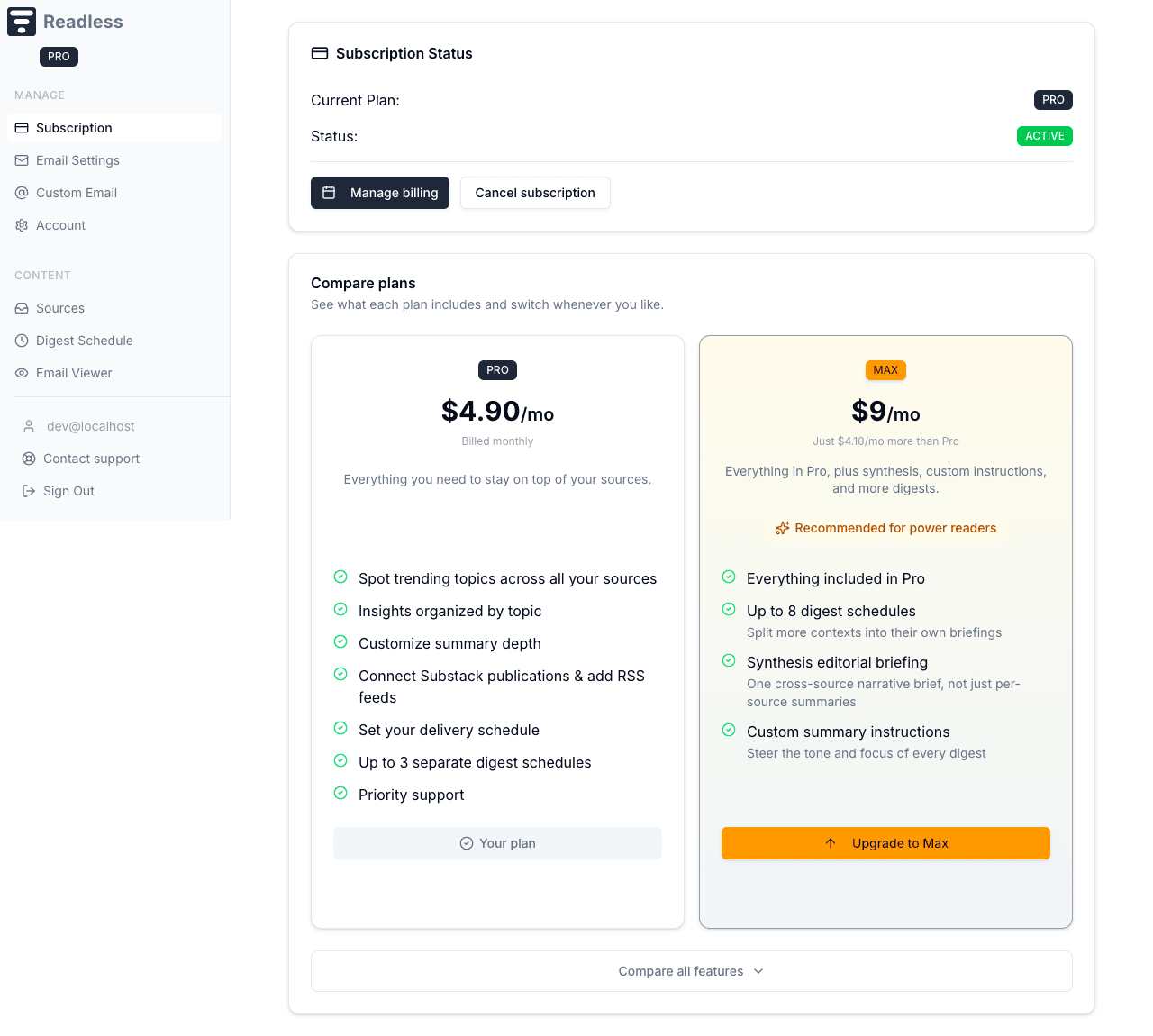
Max is $9/month, which is $4.10 more than Pro. Everything below is set on a schedule, so you can run one Synthesis briefing and keep your other schedules exactly as they are.
The Synthesis briefing
Concise and Detailed both give you a summary per newsletter — one block for each sender. Synthesis works differently. It reads everything from all your newsletters, finds the threads running across them, and writes one briefing organized by theme, with links back to each source.
So if three newsletters cover the same story, you read it once, written as a single narrative, instead of three times in three separate summaries. It's the right pick when your senders overlap a lot and you want the big picture rather than a sender-by-sender rundown.
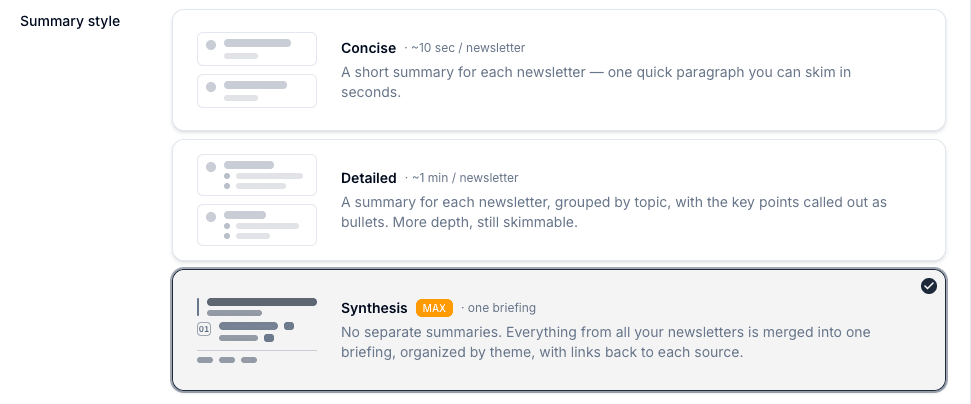
You choose Synthesis the same way you choose Concise or Detailed — it's a summary style on the schedule form, set per schedule.
Custom tone & focus
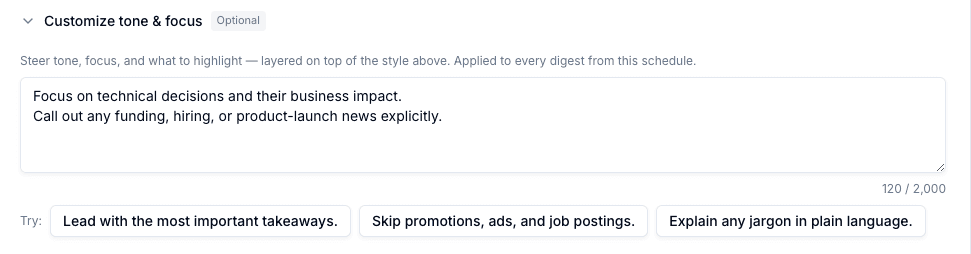
Under the style picker, Max adds a Customize tone & focus field. Write plain-language instructions and Readless applies them to every digest on that schedule, layered on top of whichever style you picked. A few examples:
- “Lead with the most important takeaways.”
- “Skip promotions, ads, and job postings.”
- “Explain any jargon in plain language.”
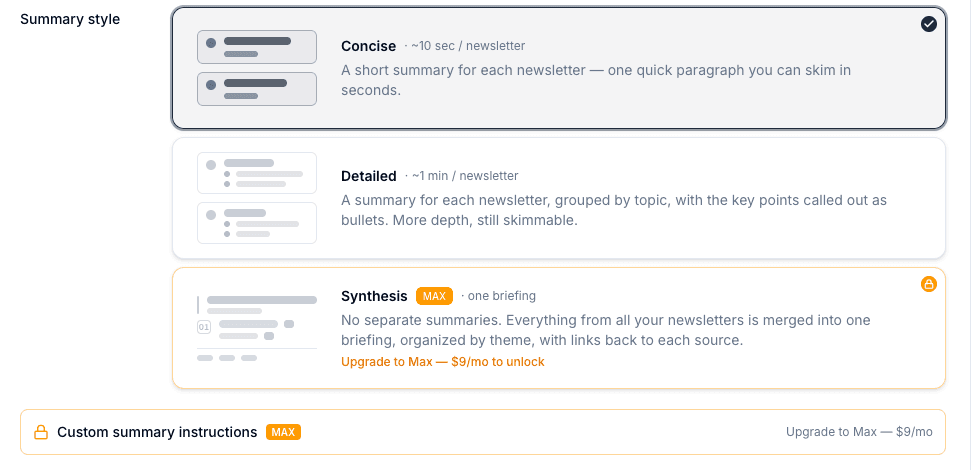
Synthesis and custom instructions are Max features
On Pro, both appear on the schedule form but stay locked, with a prompt to upgrade. Set them once on Max and they keep working on that schedule.
Up to 8 digest schedules
Pro gives you 3 schedules; Max raises that to 8. Each schedule is its own briefing with its own cadence, style, and sources, so more schedules means you can split contexts apart — work in one, personal in another, a weekly deep read in a third — instead of squeezing everything into three buckets. See Digest Schedules for how routing works.
Switching to Max
Open the Subscription tab in your dashboard and use Upgrade to Max. The change takes effect right away and your first bill is prorated for the rest of the current period. The same tab has a full Pro-versus-Max comparison if you want to check what changes first.
Switching back to Pro
A downgrade takes effect at the end of your billing period. If a schedule still uses Synthesis or custom instructions after that, its digests fall back to the Detailed style — the settings aren't deleted, so upgrading again restores them exactly as they were.
How it connects
- Digest Schedules — Where you pick a style and write custom instructions
- Sources — Route newsletters and feeds across your schedules
- Getting Started — Back to setup overview