Personalized News Digest: How to Build Yours in 2026
A personalized news digest is a scheduled email briefing that consolidates the sources you choose — newsletters, RSS feeds, news sites — into one summarized read, filtered to your topics and delivered at a time you pick. Instead of grazing a dozen apps all day, you open one email and you're caught up in about ten minutes. It's a small build with an outsized payoff: according to the Reuters Institute Digital News Report 2026, 42% of people now sometimes or often avoid the news — up from 29% in 2017 — with feeling overwhelmed the most common reason.
This guide covers the full build: what a digest actually looks like section by section, a five-step setup you can finish in about 30 minutes, the tools worth using in 2026 (with honest free-tier and pricing notes), and the mistakes that turn a good digest back into noise. The context makes the case on its own. The average US adult now spends a record 13 hours and 26 minutes per day with media, according to eMarketer's H2 2026 time-spent update — and almost none of that time is organized. A digest is how you take a slice of it back.
| Step | What you do | Time it takes |
|---|---|---|
| 1. Define priorities | Pick 3-5 topics and 10-15 trusted sources | 15 min |
| 2. Choose a tool | AI digest service, RSS reader, or DIY workflow | 10 min |
| 3. Connect sources | Forward newsletters, add feeds, set alerts | 10-30 min |
| 4. Set filters + schedule | Keyword rules, source priority, delivery time | 10 min |
| 5. Tune weekly | Cut what you skip, add what you missed | 5 min/week |
- 42% of people worldwide now sometimes or often avoid the news, up from 29% in 2017 (Reuters Institute Digital News Report 2026) — overwhelm is the top driver
- A well-built digest compresses 30+ sources into about 10 minutes of reading, once a day, on your schedule
- The build has five steps — priorities, tool, sources, filters, schedule — and takes about 30 minutes
- Free tiers exist (Google News, Feedly, Nudget); AI email digests run $4.90-$12.99/month in 2026
- The most common failure mode is over-subscribing: start with 10-15 sources, not 50
What is a personalized news digest?
A personalized news digest is a single scheduled email that consolidates the sources you follow, filters them by your chosen topics, and summarizes each story so you can triage the day's news in minutes. It differs from a news aggregator in one important way: aggregators are feeds you browse, digests are briefings you receive. One is pull, the other is push.
Under the hood, every digest does four jobs:
- Monitors your sources continuously — newsletters, RSS feeds, news sites
- Filters everything against your topics, keywords, and source priorities
- Summarizes what survives into short, scannable briefs
- Delivers the result on a fixed schedule, usually once a day
The summarization step is what changed the category. Weekly use of AI chatbots for news grew from 7% to 10% globally in the past year — and to 16% among under-35s — per the Reuters Institute. And the average professional still fields 121 emails a day, per the Radicati Group. Readers have clearly accepted machine-compressed news; a digest just puts that compression under your control instead of a platform's.
News digest example: what does a 7 AM briefing look like?
A typical news digest example is a 7 AM email with four to six topic sections, eight to twelve summarized stories drawn from 30 or more sources, and a total read time around ten minutes. Each story gets a two-to-three-sentence summary, links to the originals, and a one-line note on why it matters. Here is the anatomy of one.
| Section | Stories | Drawn from | Read time |
|---|---|---|---|
| Top story (hot topic) | 1 synthesized brief | 4 newsletters covering the same event | 2 min |
| Industry & work | 3 summaries | Trade newsletters, company blogs | 3 min |
| Markets & investing | 2 summaries | Finance newsletters, RSS feeds | 2 min |
| Tech & tools | 2 summaries | Tech blogs, product feeds | 2 min |
| Saved for the weekend | 1 long-read pick | A long-form article queued for later | — |
Each entry inside those sections follows the same compact format:
- A synthesized headline, written from the coverage rather than copied from one outlet
- A 2-3 sentence summary with the key facts and numbers
- Links to every original source that covered the story
- A one-line 'why it matters' tied to your topics
Notice the top story. When four of your sources cover the same event, a good digest merges them into one entry with every angle included — you read it once, not four times. That de-duplication is the single biggest difference between a digest and a folder full of unread newsletters.
Why build a personalized news digest in 2026?
Because news volume has outrun the time anyone has for it, and avoidance has become the default coping strategy. According to the Reuters Institute Digital News Report 2026, 42% of people sometimes or often avoid the news; in Bulgaria, Croatia, Greece, and Turkey the figure passes 60%. A digest inverts the dynamic — news stops finding you all day and arrives once, pre-filtered.
The way people get news has tipped too. The same report found that social media, video networks, and AI chatbots together (56%) have overtaken TV (52%) and news websites (51%) as sources of news, while overall trust in news sits at 37%. Curation is increasingly done by software either way. The only real choice is whether you set the filters or a platform's engagement algorithm does.
""Content is becoming much more fluid, whether we like it or not. It's going to be remixed in many different ways, and audiences will expect and like that level of personalisation." — <a href="https://mediacopilot.ai/liquid-content-ai-news-media-newman/">Nic Newman, Senior Research Associate at the Reuters Institute for the Study of Journalism</a>
| Aspect | Traditional browsing | Personalized digest |
|---|---|---|
| Time pattern | Scattered checks all day | One scheduled session |
| Sources monitored | 5-10, checked manually | 30+ monitored automatically |
| Duplicate stories | Same event read 3-5 times | Merged into one entry |
| Interruption cost | Every check breaks focus | Arrives at a time you chose |
| Who sets the mix | Platform algorithm decides | You set topics and sources |
How do you create a personalized news digest in 2026?
Create a personalized news digest in five steps: define three to five priority topics, choose a tool, connect 10-15 sources, set keyword filters and a delivery time, then tune it weekly. The initial setup takes about 30 minutes. The real payoff comes in weeks two to four, when you adjust filters based on what you actually read rather than what you intended to read.
- Step 1 — Audit a week of reading. For seven days, note what you actually open, skim, and skip. Most people discover half their subscriptions produce nothing they use. The keepers become your source foundation.
- Step 2 — Pick your tool. If your reading lives in your inbox, choose an AI digest service. If it lives on blogs and news sites, an RSS reader. If it's both, pick a tool that handles both — the comparison table below breaks down the 2026 options.
- Step 3 — Connect 10-15 sources. Forward newsletters to your digest address, paste in RSS feeds, connect Substacks. Resist the urge to add everything on day one; you can always add more later.
- Step 4 — Set filters and a schedule. Add include/exclude keywords, rank your must-read sources, and choose a delivery time outside your deep-work hours.
- Step 5 — Tune weekly for a month. Every Friday, remove one source you skipped and add one you wish you'd seen. Four weeks of this beats any setup wizard.
Watch: building a news digest with AI agents
Which tools should you use to build one in 2026?
For a hands-off email digest, use an AI digest service such as Readless, Digest, or Nudget; for full source control, use an RSS reader like Feedly; for free general news, Google News is the default. The deciding factor is where your sources live — inbox, feeds, or both — and whether you want summaries or just aggregation.
| Tool | Approach | Free tier | Price | Best for |
|---|---|---|---|---|
| Readless | AI digest of newsletters, Substack + RSS | 7-day trial | $4.90/mo (Pro) | Email newsletters and RSS merged into one scheduled digest |
| Feedly | RSS reader with optional AI (Leo) | Yes — 100 sources | $6.99-12.99/mo | RSS power users who want full control |
| Google News | Algorithmic aggregation | Yes | Free | General consumer news on every device |
| Digest | Daily email from 15+ source types | Free trial | From $6/mo | Mixing social, YouTube, and RSS into one email |
| Nudget | AI briefing from 14+ source types | Yes — 20 subs, 100 summaries/mo | $4.99/mo | AI summaries on a budget |
| Visual magazine-style curation | Yes | Free | Casual, visual browsing |
Two honest notes on this table. First, RSS readers aggregate but don't summarize — Feedly's Leo AI sits behind the Pro+ tier at $12.99/month, and even then you read inside their app, not your inbox. Second, most digest services pick a side: newsletter tools ignore feeds, and a personalized news aggregator like Google News never touches your email. If your reading is split across the two, that gap matters. If your reading is mostly email, an AI newsletter summarizer is the shortest path. For a deeper tested comparison of the aggregator category, see our guide to the best AI news aggregators in 2026.
- Most tools pick a side: RSS readers ignore your inbox, newsletter tools ignore feeds. Readless is built for both — forward newsletters to a dedicated address, paste in RSS feed URLs, and everything lands in the same digest. Substack connects natively on paid plans. Pro is $4.90/month with a 7-day free trial.
Want the digest without the DIY? Readless turns your newsletters and feeds into one scheduled email, free for 7 days, $4.90/month after. Your digest uses the sources you connect and arrives in the email client you already use.
Start Readless Free →
When should your digest arrive?
Schedule your digest for the boundary between low-focus and high-focus parts of your day — early morning for executives, lunch or end-of-day for most knowledge workers. The reason is interruption cost. Research by UC Irvine professor Gloria Mark found that after an interruption, workers take an average of 23 minutes and 15 seconds to return to the original task (Gallup interview with Mark). A digest that lands mid-morning is a focus tax.
Match the delivery time to the decision the digest supports:
| Role/Type | Recommended Time | Frequency | Reasoning |
|---|---|---|---|
| Executives | 6:00 AM daily | Every day | Review before first meeting |
| Knowledge workers | 8:00 AM weekdays | Mon-Fri | Start-of-day prep |
| Investors/VCs | 7:00 AM + 5:00 PM | Twice daily | Market open and close context |
| Researchers | 9:00 AM | 3x per week | Deep focus after admin tasks |
| Developers | 12:00 PM | 3x per week | Lunch break reading |
| Creators | Evening (7-8 PM) | 3x per week | Inspiration gathering time |
""Deep work is the superpower of the 21st century." — Cal Newport, computer science professor at Georgetown University and author of Deep Work
And if your reading splits into distinct modes — work intelligence before standup, markets at noon, long reads on Sunday — separate scheduled digests beat one bloated delivery that tries to serve all three.
- Multi-schedule support is where digest tools diverge. Readless Pro runs up to 3 independent digest schedules — each with its own sources, weekdays, and delivery time — and Max raises that to 8. A common setup: work newsletters at 7 AM, investing at noon, leisure reading on weekends. See how Readless works.
How do you keep a digest from becoming noise?
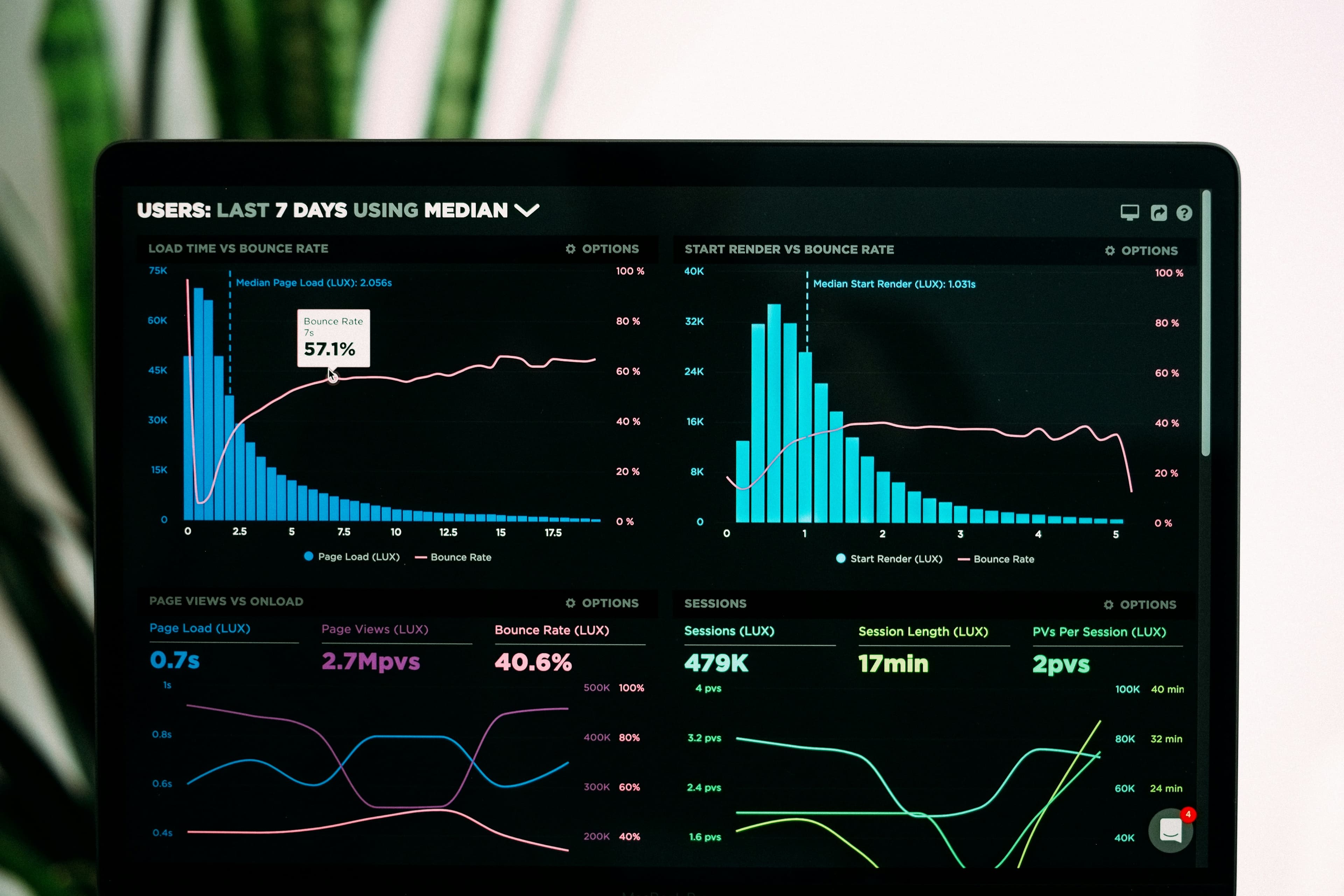
Filtering is what separates a digest from a firehose: include and exclude keywords, prioritize trusted sources, cap the story count, and merge duplicate coverage of the same event. Without filters, aggregation just relocates the overwhelm into a single feed. Aim to cut the stories you actually open by 70-80% while keeping the ones that drive decisions.
""It's not information overload. It's filter failure." — Clay Shirky, writer and NYU professor, at Web 2.0 Expo NY
Four filters do most of the work:
- Keyword rules: include 'interest rates', exclude 'celebrity'. Be specific — broad keywords let noise through.
- Source priority: rank your must-reads so they always surface, even on heavy news days.
- De-duplication: when five sources cover the same launch, you want one merged entry with every angle, not five summaries of the same event.
- Story caps: a digest you can't finish in 30 minutes will start getting skipped. Cap sections at 2-4 stories.
That third one is the most underrated. Duplicate coverage is where reading time actually goes — the same product launch summarized five times is 25 minutes you'll never get back. Tools that detect hot topics across your sources and merge them (Readless calls this Hot Topics) remove that repetition automatically.
What mistakes ruin a personalized news digest?
The four mistakes that ruin a digest are over-subscribing, skipping filters, scheduling it during deep-work hours, and never auditing sources. The underlying error is treating the digest as a collection tool instead of a consumption tool — if you save 20 articles a week and read none, your filters are too loose.
- Over-subscribing: 50 sources feels comprehensive and reads like a chore. Start with 10-15.
- No filters: raw aggregation is just overwhelm with one address.
- Bad timing: a digest that arrives at 10 AM interrupts your best hours.
- Never pruning: last year's must-read is this year's skip. Audit quarterly.
- Saving without reading: a growing read-later pile is a signal, not a library.
- Perfectionism: a rough digest running today beats a perfect one you never set up.
- Your digest is for consumption, not collection
- If you're saving 20+ articles per week but reading zero, your filters need adjustment
- The goal is informed action, not comprehensive archives
What does a real multi-digest setup look like?
A venture capitalist's setup, for example, uses four channels: a 6:30 AM market brief (TechCrunch, The Information, Axios), a midday deep-tech digest (MIT Technology Review, Nature), a 5 PM portfolio alert stream (Crunchbase, Google Alerts), and a Sunday long-form list (Stratechery, a16z). Each channel matches a decision context — quick reactions in the morning, analysis at lunch, monitoring at close, synthesis on weekends.
| Digest | Delivery | Sources | Key topics | Read time |
|---|---|---|---|---|
| Market Intelligence | 6:30 AM daily | TechCrunch, The Information, Axios | Funding rounds, IPOs, M&A | 15 min |
| Deep Tech Trends | 12:00 PM Mon/Thu | MIT Tech Review, Ars Technica, Nature | AI, quantum, biotech | 30 min |
| Portfolio Updates | 5:00 PM daily | Google Alerts, Crunchbase | Portfolio company news | 10 min |
| Weekend Reading | Sunday 8 AM | Stratechery, a16z blog | Long-form analysis | 60 min |
You don't need four digests on day one. Start with one, and split it only when a section consistently goes unread — that's the signal that two reading modes are fighting each other.
How do you know your digest is working?
A working digest has three signatures: you open it at least 80% of days, you finish it in under 30 minutes, and you click through on 20-40% of stories. If opens drop below 60%, the content has drifted from your priorities — revisit step one. If you finish in five minutes flat, your filters may be too aggressive.
For a harder number, run your old habit through our time savings calculator and compare it with your first month on a digest. Most people who consolidate 20+ sources land somewhere between 5 and 10 hours reclaimed per week. The baseline is large: McKinsey Global Institute found knowledge workers spend 28% of the workweek managing email, so even a partial reclaim is measured in hours, not minutes.
Conclusion
A personalized news digest is a small system with a compounding return: 30 minutes of setup, five minutes of weekly tuning, and the news stops being a tab you feel guilty about. With 42% of people avoiding the news outright (Reuters Institute, 2026) and US media time at a record 13 hours 26 minutes a day (eMarketer), the alternative to curating your intake is drowning in someone else's.
The short version:
- Define 3-5 topics and 10-15 trusted sources
- Choose a tool that covers where your sources actually live
- Filter aggressively — keywords, source priority, de-duplication
- Schedule delivery outside your deep-work hours
- Tune weekly for the first month
Start with one digest this week. If it saves you twenty minutes a day, that's two hours a week — and a news habit you'll actually keep.
Frequently Asked Questions
What is the difference between a news aggregator and a personalized digest?
A news aggregator collects stories into a feed you browse; a personalized digest filters, summarizes, and delivers them to your inbox on a schedule. Aggregators like Google News and Feedly are pull-based — you open the app and scroll. Digests are push-based — the briefing arrives once, pre-filtered and pre-summarized. If your problem is discovery, use an aggregator. If your problem is time, use a digest.
How much time does a personalized news digest actually save?
Most professionals who consolidate 20 or more sources report saving 5-10 hours per week. The savings come from three places: no app-switching, no duplicate stories, and 2-3 sentence summaries replacing full articles for triage. The baseline is large — McKinsey Global Institute estimates knowledge workers spend 28% of the workweek on email, and UC Irvine research shows each interruption costs 23 minutes and 15 seconds of refocus time.
Can I create a personalized news digest for free?
Yes — Google News is free, Feedly's free tier covers 100 RSS sources, and Nudget offers 20 subscriptions with 100 AI summaries per month at no cost. What free tiers rarely include is AI summarization delivered to your inbox; paid digest services run $4.90-$12.99 per month in 2026. For most professionals, one reclaimed hour a month covers the subscription.
How many news sources should I include in my digest?
Start with 10-15 high-quality sources covering your 3-5 core topics. More is not better — every added source raises the noise floor your filters must clear. If your digest regularly takes longer than 30 minutes to finish, cut sources before adding filters. Advanced setups monitor 50+ sources, but only with aggressive de-duplication and story caps keeping the output to 10-15 stories a day.
Are AI-generated news summaries accurate enough to trust?
For triage, yes; for high-stakes decisions, verify against the original. Modern summarizers preserve facts, figures, and attribution reliably, but they compress nuance by design. The healthy workflow is to treat the summary as a decision layer — read it, then click through on the stories that matter. That habit is already mainstream: 42% of people who use AI chatbots for news say they always or often click through to the original source (Reuters Institute, 2026).
Your chosen news, on your schedule.
Get scheduled summaries of the newsletters and RSS feeds you choose. Pro preserves source summaries with Hot Topics; Max adds Synthesis.
Get the digest free